

Crawl budget is one of the most misunderstood concepts in technical SEO. Many site owners either ignore it completely or obsess over it without addressing the real issues that waste crawl resources.
In simple terms, crawl budget is the number of URLs Googlebot is willing and able to crawl on your site within a given timeframe. While crawl budget is not a concern for every website, it becomes critical for:
- Large websites
- Ecommerce platforms
- SaaS applications
- Content-heavy blogs
- Sites with faceted navigation or auto-generated URLs
Mismanaging crawl budget can result in important pages not being crawled, indexed, or updated, directly impacting rankings and visibility.
This article covers the most common crawl budget mistakes and explains how to avoid them effectively.
What Crawl Budget Actually Means (Quick Context)
Crawl budget is influenced by two main factors:
- Crawl Capacity Limit – How much Googlebot can crawl without overloading your server
- Crawl Demand – How much Google wants to crawl based on page importance, freshness, and authority
Mistakes usually happen when websites inflate crawlable URLs unnecessarily, reducing Google’s ability to focus on high-value pages.
Common Crawl Budget Mistakes
1. Allowing Low-Value Pages to Be Crawled and Indexed
One of the biggest crawl budget killers is low-value URLs.
Examples include:
- Filtered URLs
- Internal search result pages
- Tag and archive pages
- Pagination variations
- Auto-generated parameter URLs
When these pages are crawlable, Googlebot spends time crawling them instead of your key pages.
How to Avoid It?
- Use noindex, follow on low-value pages
- Block irrelevant URLs via robots.txt (carefully)
- Consolidate similar pages using canonical tags
- Remove unnecessary URL parameters
2. Poor Internal Linking Structure
Internal links tell Google which pages matter. A weak or cluttered internal linking structure sends mixed signals.
Common issues:
- Important pages buried deep in the site
- Excessive links to low-priority pages
- Orphan pages with no internal links
- This forces Googlebot to crawl inefficiently.
How to Avoid It
- Ensure important pages are within 3 clicks of the homepage
- Strengthen contextual internal links to priority pages
- Reduce links to thin or outdated pages
- Fix orphan pages via internal linking audits
3. Duplicate Content and URL Variations
Duplicate content does not always cause penalties, but it wastes crawl budget.
Common causes:
- HTTP vs HTTPS
- www vs non-www
- Trailing slash variations
- Uppercase/lowercase URLs
- Multiple URLs serving identical content
Googlebot may crawl all versions before deciding which one to index.
How to Avoid It
- Enforce a single URL version using redirects
- Use canonical tags correctly
- Standardize URL structures
- Avoid creating duplicate content through CMS settings
4. Inefficient Use of Robots.txt
Many websites misuse robots.txt either by:
- Blocking critical resources
- Blocking pages that should instead be noindexed
- Leaving it unoptimized altogether
Blocking URLs does not always prevent indexing if they are linked elsewhere.
How to Avoid It
- Use robots.txt only to control crawling, not indexing
- Combine robots.txt with noindex where appropriate
- Regularly audit blocked URLs in Google Search Console
- Avoid blocking JS and CSS needed for rendering
5. Excessive Pagination and Faceted Navigation
Pagination and filters can explode the number of crawlable URLs.
Common examples:
- /category?page=1,2,3…
- ?color=red&size=m&price=low
- Sorting parameters like ?sort=price_asc
Each variation creates a new crawl target.
How to Avoid It
- Use rel=”next” and rel=”prev” correctly (or logical internal linking)
- Noindex non-essential filter combinations
- Use canonical URLs for filtered pages
- Limit crawlable parameter combinations via Search Console
6. Broken Pages and Redirect Chains
Broken URLs and long redirect chains force Googlebot to waste crawl resources.
Common problems:
- 404 pages still internally linked
- Multiple redirects before reaching the final URL
- Redirect loops
These issues reduce crawl efficiency significantly.
How to Avoid It
- Fix internal links pointing to 404 pages
- Replace redirect chains with direct redirects
- Regularly crawl your site to detect errors
- Clean up outdated URLs after site migrations
7. Thin and Auto-Generated Pages
Pages with little or no unique value still consume crawl budget.
Examples:
- Auto-generated location pages
- Empty tag pages
- Thin comparison or category pages
- Placeholder content
Google may continue crawling them but deprioritize your important content.
How to Avoid It
- Improve content quality or remove thin pages
- Merge similar pages into stronger resources
- Noindex pages that cannot be improved
- Focus crawl budget on pages that drive traffic or conversions
How to Know If Crawl Budget Is a Problem for You
Crawl budget issues typically affect:
- Sites with 10,000+ URLs
- Pages taking weeks to get indexed
- Frequent indexing delays after updates
- High “Discovered – currently not indexed” counts
- Large crawl stats but low index coverage
You can analyze crawl behavior using:
- Google Search Console → Crawl Stats
- Server log analysis
- Index coverage reports
Best Practices to Optimize Crawl Budget
To avoid crawl budget waste:
- Prioritize high-value URLs
- Eliminate duplicate and thin content
- Strengthen internal linking
- Control crawl paths with intent
- Monitor crawl behaviour regularly
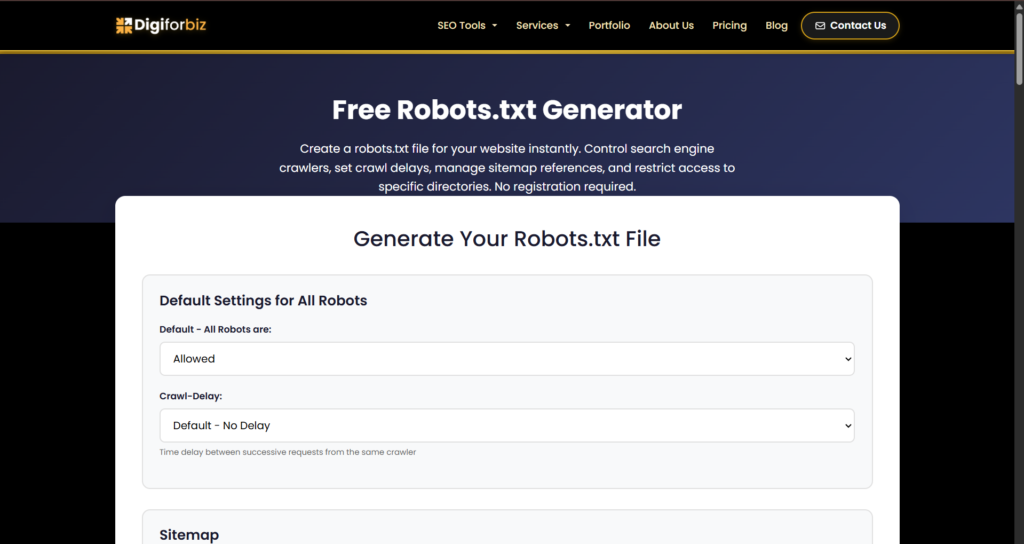
Crawl budget optimization is not about restricting Google, it’s about guiding it efficiently. One of the most effective crawl budget optimizations is controlling what search engines are allowed to crawl. A properly configured robots.txt file helps block low-value URLs like filters, parameters, and internal search pages. Using the DigiForBiz Robots.txt Generator simplifies this process by creating clean, error-free rules, ensuring Googlebot focuses its crawl budget on high-priority pages.
Final Thoughts
Crawl budget mistakes are rarely caused by a single issue. They are usually the result of small technical inefficiencies stacking over time.
By fixing low-value pages, duplicate URLs, internal linking issues, and crawl traps, you allow Googlebot to focus on what actually matters—your most important pages.
For growing websites and scalable SEO, crawl efficiency is a competitive advantage. Addressing these mistakes early ensures better indexing, faster updates, and stronger organic performance.
 thetechforpcad